Video editor
You need a short impact aligned with a cut, then plan to adjust its level and timing.
Pick the cue by how it sounds in context; use a file your editor handles reliably and preserve a high-quality source for revisions.
Clear comparison
The sound effect vs mp3 question compares two different categories: a sound effect is audio used for a particular purpose, while MP3 is a format for storing audio. A door slam can be saved as an MP3, a WAV file, or another format. Choose the sound for the scene first, then choose a file your editing workflow can use.

Neither term replaces the other. A sound effect describes what a listener hears and how a creator uses it; MP3 describes one way the recording is encoded.
Separate the creative decision from the delivery decision. This short workflow prevents a familiar file extension from standing in for a usable sound.
Decide what the audience should hear: footsteps on a floor, a notification, or a door closing. Describe the timing, setting, and intensity. That brief defines the sound effect you need; it does not specify how the file must be encoded.
Listen for unwanted background noise, a clipped attack, or an abrupt ending. Leave enough room to trim and place the cue accurately. An MP3 can contain a suitable recording, but its extension alone cannot tell you whether the performance fits.
Check which formats your editor accepts and whether you expect to process the sound heavily. An uncompressed working copy can be useful during editing; MP3 may be convenient for sharing or a final delivery requirement. Keep the best available source rather than repeatedly re-encoding it.
Different creators can use the same sound effect and still need different working files. Start with the scene, then account for editing and delivery.
You need a short impact aligned with a cut, then plan to adjust its level and timing.
Pick the cue by how it sounds in context; use a file your editor handles reliably and preserve a high-quality source for revisions.
You want a single transition noise between two musical sections.
Treat the effect as a production element, not as the format of the song. Choose an editable source before deciding how to export the finished mix.
You receive an MP3 containing room tone and a usable door slam in the same recording.
Trim the sound effect you need and check the source quality before processing; the file extension does not identify which part belongs in the episode.
You have a dramatic cue but must deliver a finished video with its audio already mixed in.
Place and balance the effect in the edit. The format of the source cue and the format of the finished upload are separate decisions.
Read the columns as answers to different questions, not as competing product types. A single recording can satisfy both descriptions.
| Sound effect | MP3 | |
|---|---|---|
| What it names | A sound used as a cue, texture, or event in a piece of media. | A compressed audio file format. |
| Question it answers | What should the audience hear at this moment? | How is this audio stored and delivered? |
| Possible contents | An impact, ambience, movement, interface cue, or other designed sound. | A sound effect, speech, music, ambience, or a mixture of them. |
| What to assess | Timing, character, duration, background noise, and fit with the scene. | Editor compatibility, audible encoding artifacts, and delivery requirements. |
| Editing consideration | The cue may need trimming, fades, placement, and level adjustment. | Repeated lossy exports can reduce quality; retain a better source when available. |
| License information | Its intended use does not establish permission to publish it. | Its extension does not establish permission to publish it. |
| Example | A recorded footstep placed when a character crosses a wooden floor. | An MP3 file containing that same footstep recording. |
If you begin with a format request, work backward to the audible requirement. If you begin with a cue, work forward to the format your project needs.

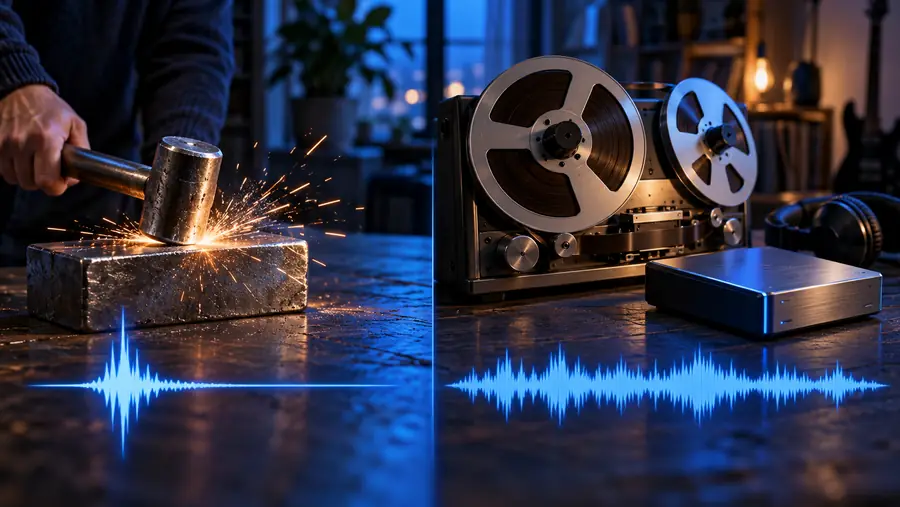
These images illustrate a workflow, not a visual test of audio quality. Listen to the source, confirm that you can use it, and check your editor's requirements before converting. Renaming a file with an MP3 extension does not convert its audio.
Choose the audible cuePrepare the working fileDescribe the event your audience should hear, then evaluate the resulting sound in your scene. Soundeffect points you toward sound creation; confirm available output options and usage terms at the destination before committing to a production workflow.
No. A sound effect is audio chosen or made to serve a moment in a production; MP3 is a way to encode an audio file. The same effect could be stored as an MP3 or in another format.
Yes. An MP3 can hold a door slam, a footstep, dialogue, music, or a complete mix. The filename and extension describe the file format, not which kind of sound you will hear.
Use it if your editor accepts it and it sounds suitable in the project. If you have a higher-quality source and expect substantial processing or repeated exports, keep that source for editing and make delivery copies when needed.
No. Converting changes how the audio is stored; it cannot restore detail missing from the source or fix noise in the recording. Listen to the converted file for artifacts, especially on sharp impacts and quiet tails.
No. Permission depends on the recording's rights and the terms under which you obtained it, not its format. Check those terms for your intended use before publishing.